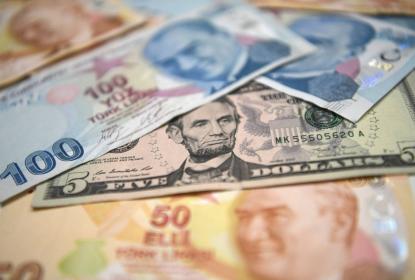
MurugoPay offers you to send money to your friends and family at a low price and in a simple way.
We offer you a lower cost to send money outside the country.
Sending remittances is safe and secure as recipients receive money from our agents.
Transferring money through MurugoPay is just a matter of moments.
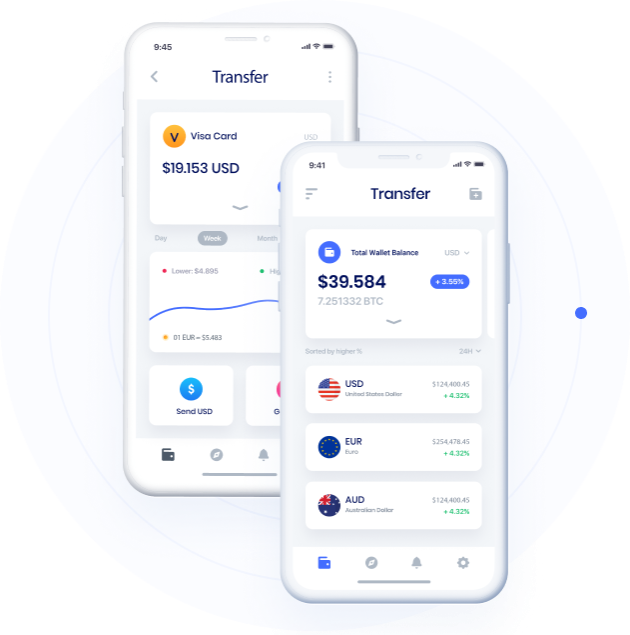
Download our app for free to send money online in minutes to over 130 other countries. Track your payments and view your transfer history from anywhere.


Trusted Agents Worldwide With an expanding network of authorized agents across the world, Murugo Pay makes sending and receiving money easier, faster, and more accessible than ever.
Our Global Agent Network Murugo Pay is supported by a growing network of trusted agents and partners across multiple countries, ensuring fast, secure, and reliable financial services wherever our customers are located. Our worldwide agent network enables convenient cash-in, cash-out, remittance, and payment services, bringing financial access closer to communities around the globe.
HOW TO TRANSFER
How to Send Remittance Sending money with Murugo Pay is fast, secure, and convenient. Follow these simple steps to transfer funds to your family, friends, or business partners locally and internationally. Step 1: Create or Log In to Your Account Download the Murugo Pay mobile application or access the Murugo Pay web platform. Sign in to your account using your registered mobile number or email address. Step 2: Verify Your Identity Complete the Know Your Customer (KYC) verification process by submitting the required identification documents. This ensures secure and compliant transactions. Step 3: Select "Send Money" From your dashboard, click on Send Money and choose your preferred transfer option: Local Transfer International Remittance Bank Transfer Mobile Wallet Transfer Step 4: Enter Recipient Details Provide the recipient's information, including: Full Name Mobile Number Email Address (if applicable) Bank Account Details (for bank transfers) Country of Destination Step 5: Enter the Amount Specify the amount you wish to send. Murugo Pay will automatically display: Exchange Rate (if applicable) Transfer Fees Total Amount to be Debited Amount the Recipient Will Receive Step 6: Review and Confirm Carefully review the transaction details and confirm that all information is correct before proceeding. Step 7: Complete Payment Choose your preferred payment method: Murugo Pay Wallet Bank Account Debit Card Credit Card Mobile Money Authorize the transaction using your PIN, password, or biometric authentication. Step 8: Track Your Transfer Once the transaction is completed, you will receive a confirmation notification and transaction reference number. You can track the status of your remittance in real time through your Murugo Pay account. Why Use Murugo Pay for Remittances? ✓ Fast and Secure Transfers ✓ Competitive Exchange Rates ✓ Affordable Transaction Fees ✓ Real-Time Tracking ✓ Multiple Payment Options ✓ Global Reach ✓ 24/7 Customer Support Need Help? Our customer support team is available to assist you with any questions regarding your remittance. Contact us through the Murugo Pay app, website, email, or customer service hotline. Murugo Pay-Fast, Secure, Borderless Transfers.
At first you need to submit the required information from send money page to issue a send money request.
After submitting te send money request you have to complete the payment process by a payment method.
After completeing the payment process send the transaction number to your recipent.
Aenean vulputate eleifend tellus. Aenean leo ligula, porttitor econsequat vitae eleifend enim. Aliquam lorem ante dapibus in viverra quifeugiat a telluasel. world class Money Transfer
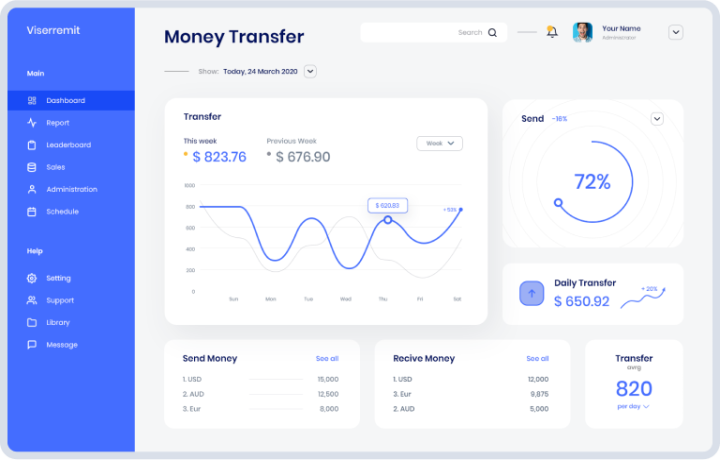
Convert data noise to intelligent insights for competitive differentiation.
Convert data noise to intelligent insights for competitive differentiation.
Convert data noise to intelligent insights for competitive differentiation.
Donec sodales sagittis magna. Sed consequat leo eget bibendum sodales augue velit cursus nunc

Customer, USA
I've been using this remittance website to send money to my family back home in Egypt, and I've been consistently impressed with the level of service. The rates are competitive, the transaction process is straightforward, and the funds are delivered securely and on time. As someone who frequently sends remittances, I highly recommend this platform to others in the expat community.

Customer, USA
I recently switched to this remittance platform after having a frustrating experience with another service, and I'm so glad I did. The website is intuitive, the fees are transparent, and the transfers are processed promptly. What impressed me the most was the personalized customer support I received when I encountered a minor issue with my transaction. Keep up the great work!

Customer, Mexico
Excelente servicio de remesas! He estado utilizando este sitio web para enviar dinero a mi familia en México, y hasta ahora todo ha sido perfecto. Los tipos de cambio son competitivos, las transferencias son rápidas y seguras, y el proceso es muy sencillo. ¡Gracias por ayudarme a mantener a mi familia conectada!

Customer, USA
I've been using this remittance service for over a year now, and I couldn't be happier with the experience. The website is user-friendly, the fees are reasonable, and the transfer process is quick and reliable. Plus, their customer support team is always available to assist with any inquiries or issues. Highly recommended!
Donec sodales sagittis magna. Sed consequat leo eget bibendum sodales augue velit cursus nunc
How to Receive Money Receiving money with Murugo Pay is simple, secure, and convenient. Whether you are receiving funds from family, friends, employers, customers, or business partners, Murugo Pay ensures that your money reaches you quickly and safely. Step 1: Create and Verify Your Account Download the Murugo Pay mobile application or register through the Murugo Pay website. Complete the account verification process by submitting the required identification documents. Step 2: Share Your Receiving Details Provide the sender with your Murugo Pay receiving information, such as: Full Name Registered Mobile Number Murugo Pay Account Number Email Address (if applicable) Linked Bank Account Details (for bank deposits) Step 3: Receive the Transfer Once the sender completes the transaction, the funds will be processed and credited to your Murugo Pay Wallet or designated account. You will receive: Instant notification Transaction reference number Confirmation message Available balance update Step 4: Access Your Funds After receiving money, you can: Keep Funds in Your Wallet
To receive the sent amount you need to go to our agent's location.
Give the transaction number of send-money to our agent.
To complete the payout you have to be verified via a verification code.

XX
Sending remittances, or transferring money to individuals in another country, is a common practice for many people, espe...
Read MoreDigital transformation is profoundly revolutionizing the remittance industry, fundamentally altering how money is transf...
Read MoreRemittance fees are charges applied by service providers when money is sent across borders. These fees can vary widely d...
Read More